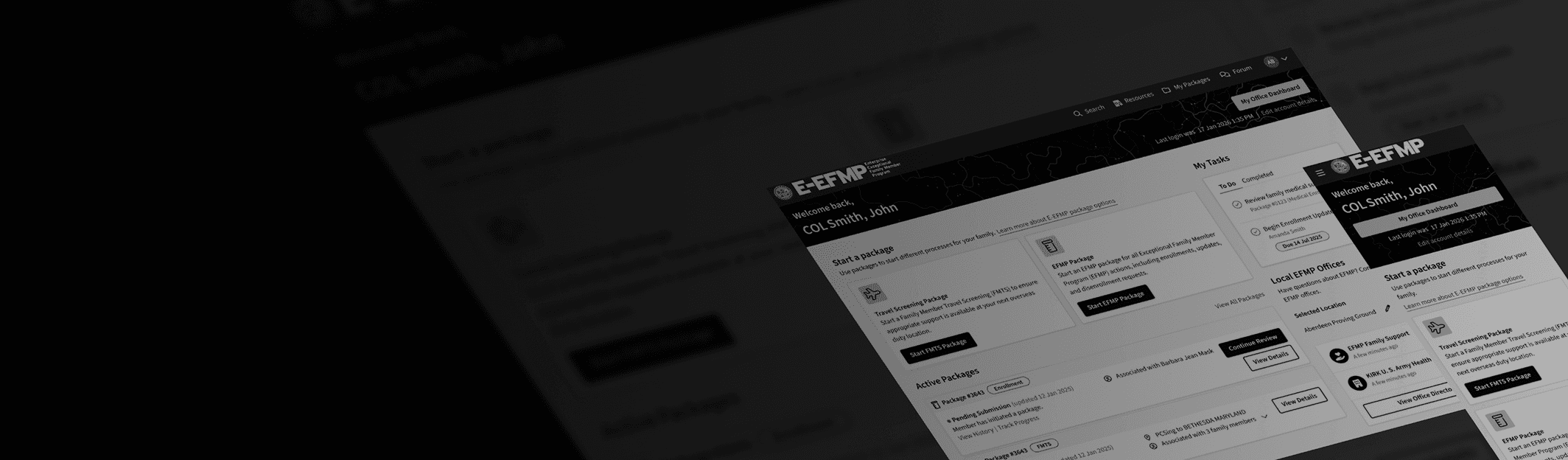
UX Design
Designing an Actionable Landing Experience for Military Families
Overview
Following a large-scale research initiative, we identified a critical usability gap: once users logged in, they lacked clear guidance on what to do next. The existing homepage catered to non-authenticated users and prioritized static resources over action, leaving both service members and their families unsure how to start or track key tasks.
This project focused on reimagining the logged-in experience as an actionable, personalized landing zone—helping users quickly understand their status, next steps, and available support.
SCOPE
2025 / 2 weeks
Role
Lead Designer
Collaborators
1 additional designer
INDUSTRY
Government
01 - DISCOVERY
Creating a Design Game Plan
Insights from initial research highlighted a clear gap: users lacked guidance, visibility, and actionable next steps after logging in. It was clear we needed a new landing page for logged in Soldiers and family members, but a government shutdown limited our ability to conduct additional user workshops to build on these findings.
To continue momentum, I facilitated a 6-3-5 ideation workshop with my team to rapidly generate solutions grounded in existing user insights. Using the whiteboarding tool Lucid, I guided a structured round-robin session where participants built on each other’s ideas. I then leveraged AI-assisted clustering to organize themes, refining outputs into key opportunity areas. These included notifications and alerts, task management, application tracking, reminders, educational resources, and system updates—many directly reinforcing earlier user feedback.
From this, we aligned on a clear goal: design a modular, scalable landing experience that surfaces relevant information and enables users to take action quickly, even within technical and roadmap constraints.
02 - Ideation
Designing the Initial Concepts
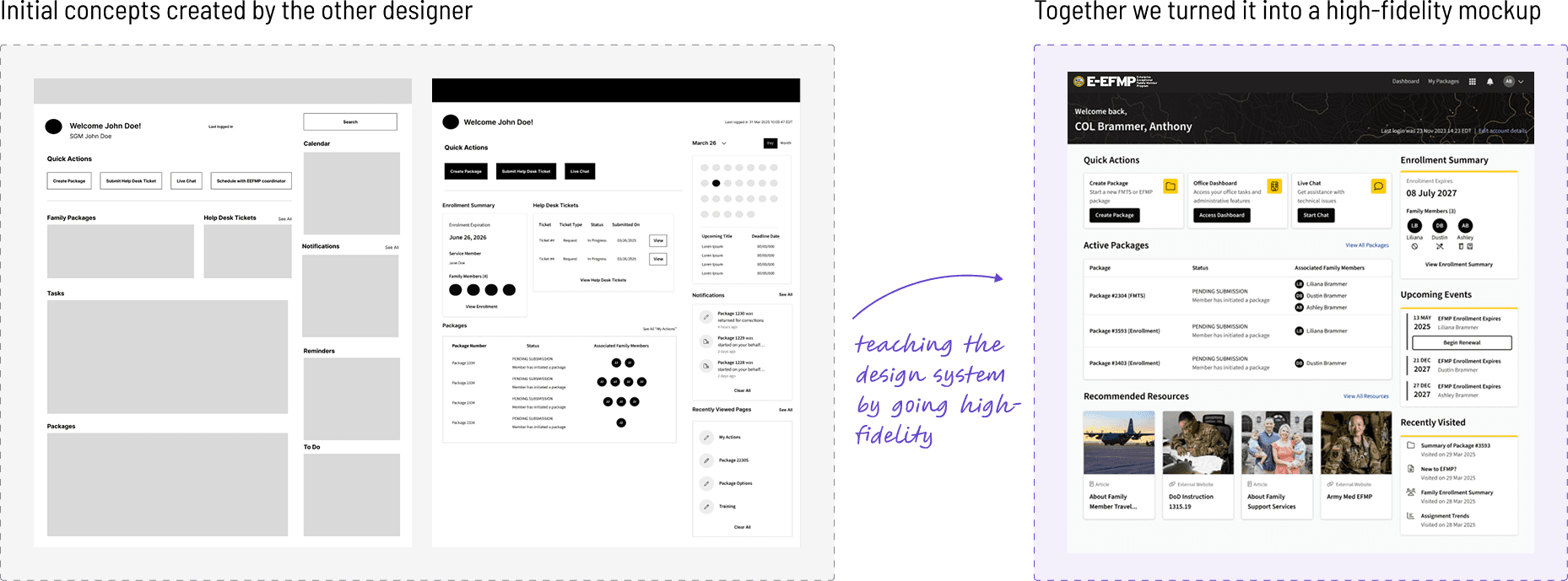
I partnered with a junior designer to bring these concepts to life, providing guidance while giving her ownership of early exploration. Together, we translated research themes into an initial set of widgets, including quick actions, application tracking, support access, and task management.
She developed the first round of wireframes, and I coached her through evolving them into high-fidelity designs within our design system—ensuring proper use of components, tokens, and interaction patterns. This collaboration allowed us to move quickly while maintaining quality and consistency.
Goals
Deliver a modular, scalable landing experience aligned to user needs while leveraging existing data and system constraints
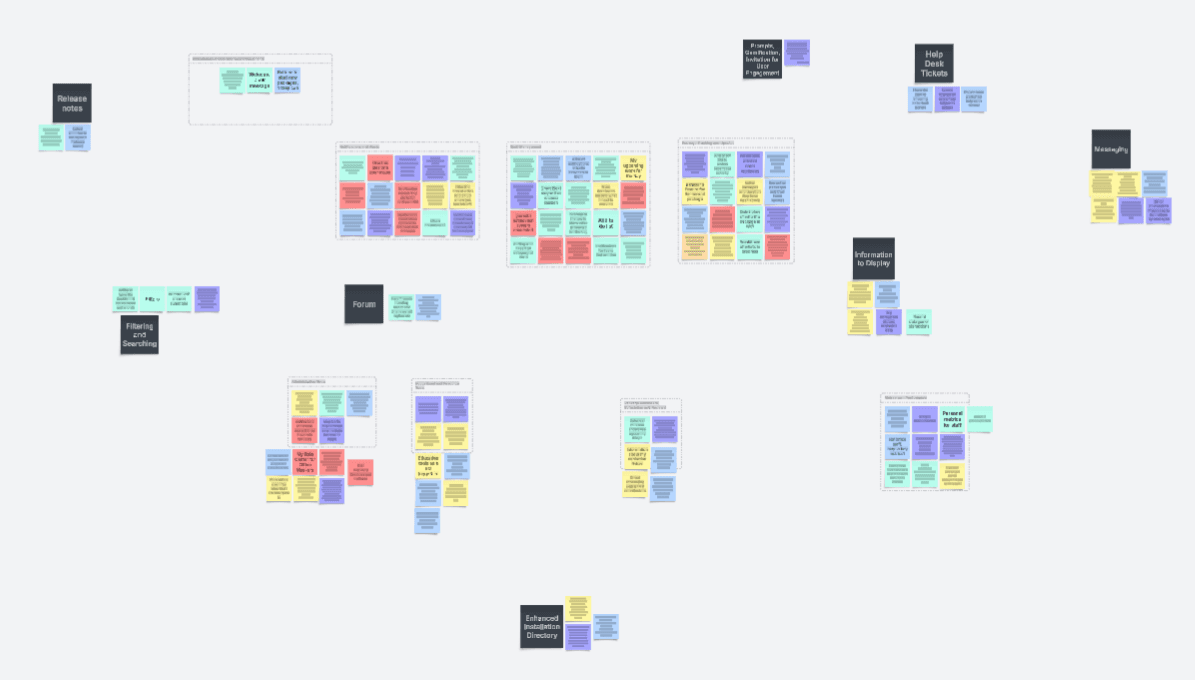
I used Lucid's AI tools to synthesize findings from internal ideation sessions
Co-designing to Elevate Craft
I worked with the other designer to evolve her low-fidelity wireframes into high-fidelity designs, using the process as an opportunity to coach on design system integration, theme-friendly style tokens, and reusable components.
03 - VALIDATION
Initial Feedback
Due to constraints, validation was conducted through stakeholder reviews rather than direct user testing. Early feedback highlighted issues with visual hierarchy and content prioritization, reinforcing the need for a more focused and streamlined experience.
We iterated quickly, simplifying the interface and sharpening the emphasis on key actions and reducing the presence of static resources. The refined designs were well received and approved to move forward.
04 - Development
Implementation
We implemented an MVP approach, focusing on high-impact, feasible components while deferring lower-priority features. I walked through the design with developers and worked closely with them to translate designs into implementation, providing (so, so many) detailed annotations across interaction, content, and technical considerations.
Deliverables included:
Responsive states (desktop and mobile)
Empty states and returning states
Token-based specifications to support scalability and theming
Guidance on reusable and custom components
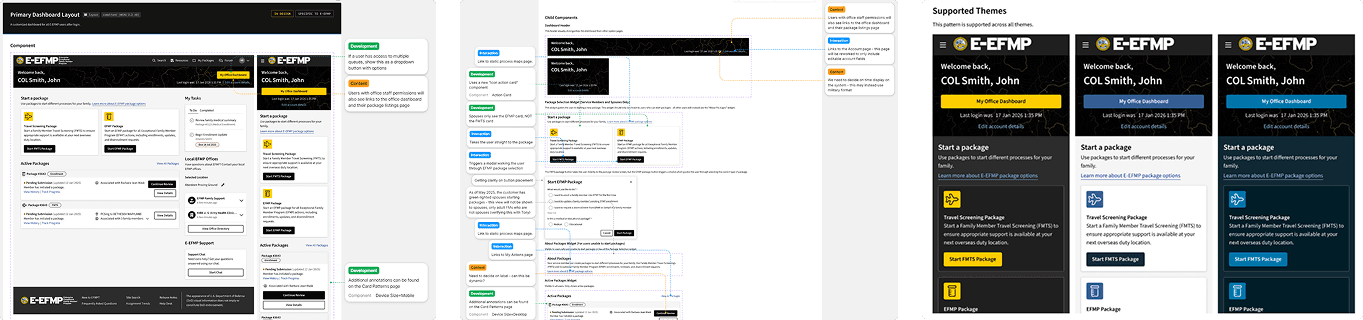
A full breakdown of each widget and component was included to provide additional information to developers. Theses were scoped to mirror the breakdown of the backlog items for this work.
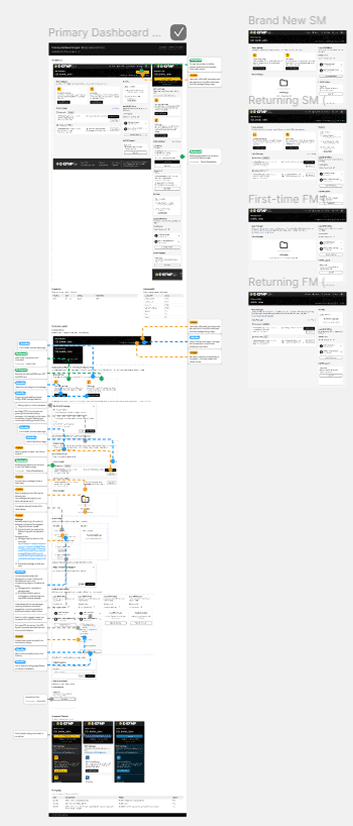
The design was annotated and broken down by component to match developer PBIs
Snapshot of Documentation
Example sections from the annotated file demonstrating desktop and mobile variants, notes for each component and interaction, and how the selected tokens applied across theming for better scaling.
05 - Reflection
Reflecting on what I learned
This project highlighted the importance of adaptability—continuing to drive user-centered solutions even when direct user access is limited. Facilitating internal ideation and mentoring a junior designer were key to maintaining momentum and quality under constraints.
Given more time and access, I would prioritize user validation and further refine the visual and interaction design. Still, this work demonstrates how strong collaboration, structured ideation, and thoughtful prioritization can deliver meaningful improvements within real-world limitations.