UX Research
Gathering requirements through Soldier-centered research methods
Overview
E-EFMP is an enterprise platform that supports military family travel and enrollment in the Department of Defense’s Exceptional Family Member Program (EFMP). The program ensures families with special needs have access to appropriate resources and services across installations, and the system is used by over 130,000 users, including Army soldiers, Army Family members, and administrative staff.
SCOPE
2025 / 3 months
Role
Workshop Facilitator, Lead Designer
Collaborators
2 additional facilitators
INDUSTRY
Government
01 - Defining the Problem & opportunity
Tackling Ambiguity with UX
E-EFMP was entering a critical transition point, with a planned refactor from a low-code platform to Angular. While this created an opportunity to modernize the experience, stakeholders lacked visibility into user needs—there was no analytics tracking, and product decisions were historically driven by anecdotal input rather than direct user feedback. At the same time, persistent help desk tickets and delays in application processing signaled underlying usability and process issues. This project aimed to turn a high-risk rebuild into a user-informed opportunity by establishing a clear understanding of the current experience.
Core Challenges
Limited visibility into user needs
High-impact refactor with unclear priorities
OPPORTUNITIES
A chance to establish a user-centered foundation
Use data-driven insights to define clear priorities for the refactor and future enhancements
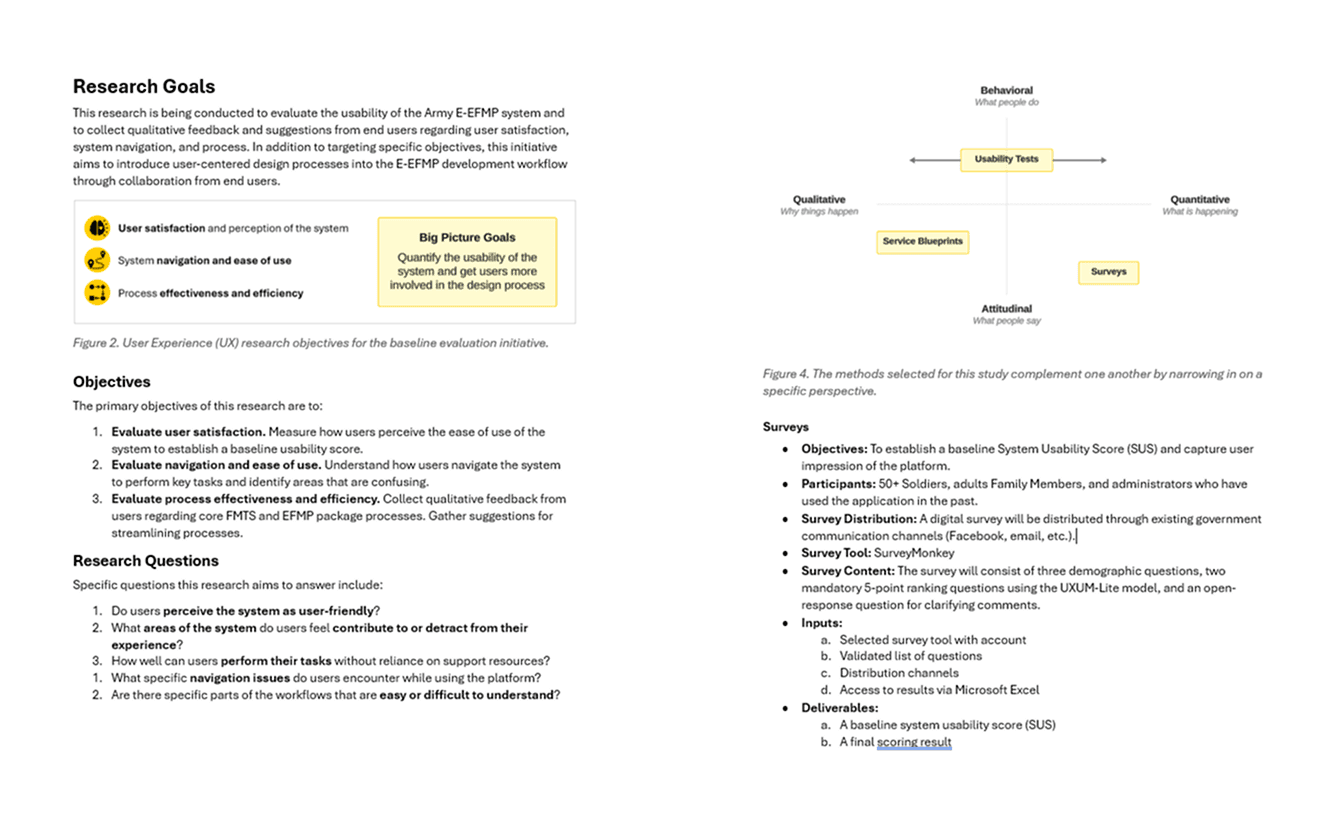
Research plan excerpts documenting research goals and proposed methods
02 - Designing a Research Strategy
Bridging UX and Business Goals
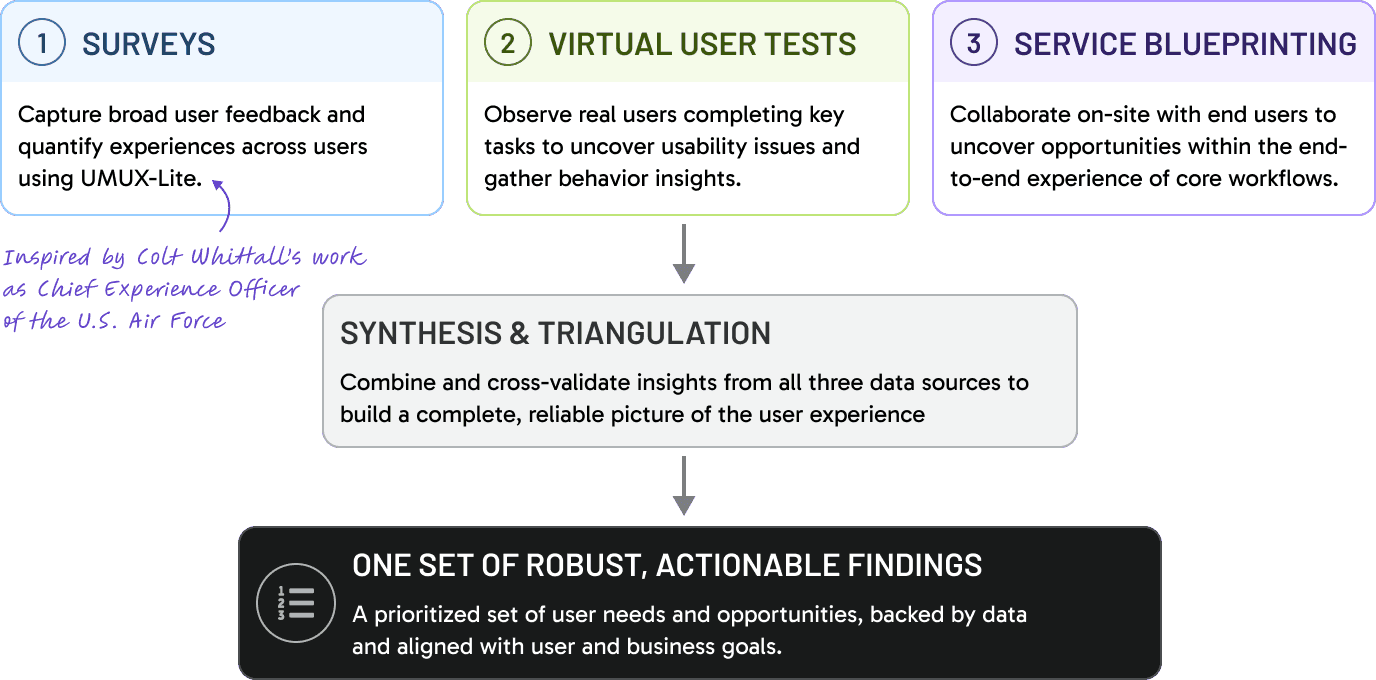
To address these gaps, I proposed a mixed-method research strategy combining in-person service blueprinting, remote usability testing, and a supporting survey to capture both qualitative and quantitative insights. The approach was designed to triangulate findings across supplementary methods, ensuring a comprehensive view of user needs, behaviors, and pain points.
I developed a three-month plan outlining research activities, deliverables, and success metrics, and worked closely with stakeholders to align on goals and logistics. By clearly tying research outcomes to business priorities—such as reducing user error and improving the perception of the product—I secured buy-in to move forward.
A Proposed Approach
To guide the system’s transformation, we launched a three-part research initiative using surveys, virtual usability testing, and in-person service blueprinting—surfacing critical user needs while establishing baseline UX metrics.
03 - Conducting the research
Facilitating Sessions with Soldiers
I partnered with a business analyst and fellow designer to plan and coordinate the research initiative. While the survey was ultimately paused due to restrictions around engaging military families, we adapted our approach—leading a 4-day in-person user feedback event at Fort Bragg alongside three targeted virtual usability studies to ensure we still captured meaningful user insights.
Part 1: On-Site User-Centered Design Event
We partnered with stakeholders to host a 5-day, in-person research event at Fort Bragg, selected for its high volume of applications and concentration of system users. To capture a holistic view of the experience, we conducted five structured sessions with distinct user groups—including soldiers, Army Family members, and administrative staff—each interacting with the system in different ways.
28 participants
5 sessions over 5 days
142 insights defined
Each session ran for 1.5-2 hours and followed a service blueprinting format. We mapped key workflows using printed screenshots and a large-scale physical blueprint, mirroring a pre-built digital version. Participants walked through real tasks step-by-step, sharing pain points, unmet needs, and ideas for improvement. We guided discussions using known help desk trends while leaving space for open feedback.
To build trust and capture broader insights, we documented non-UX feedback (such as policy concerns) in a visible “parking lot,” ensuring participants felt heard while keeping sessions focused. Additional feedback was collected through forms and follow-up emails, helping us establish an ongoing participant pool for future research.
Across sessions, we gathered 142 findings from 28 participants spanning five user roles. These were later distilled into three key themes: data and automation, notifications and communication, and user onboarding and information clarity.
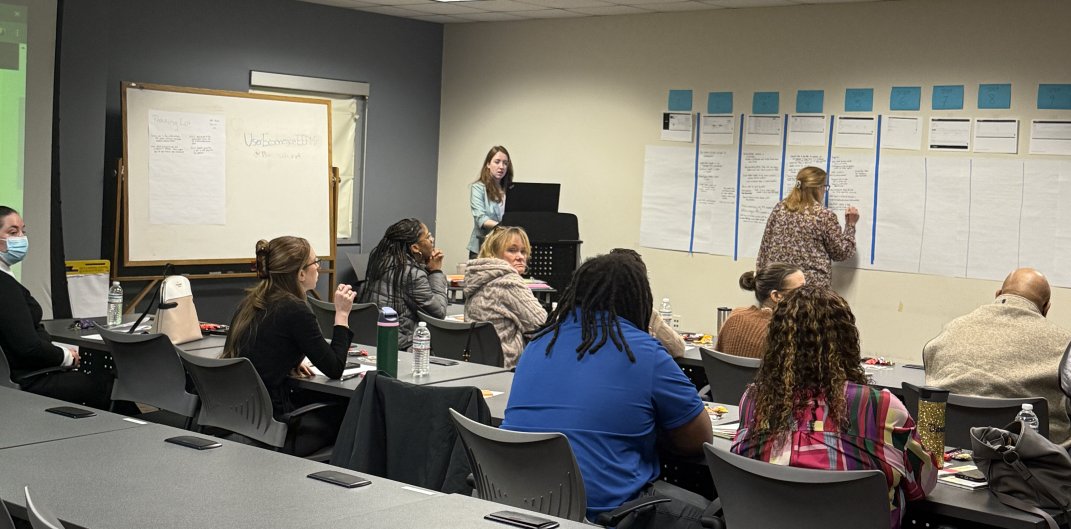
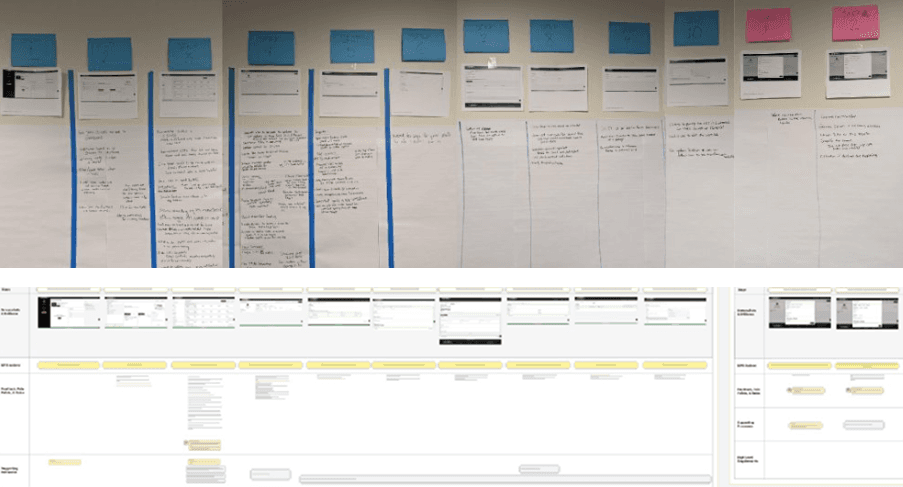
In-person annotated blueprint (top) and digital blueprint with transcribed feedback (bottom)
Participants mapped real workflows live, surfacing pain points and opportunities in real time
Part 2: Virtual Usability Tests
To evaluate user perception and ease of navigation, we conducted a series of remote usability studies focused on how users interact with the system in real-world scenarios. The goal was to observe task completion, identify friction points, and quantify usability across key workflows.
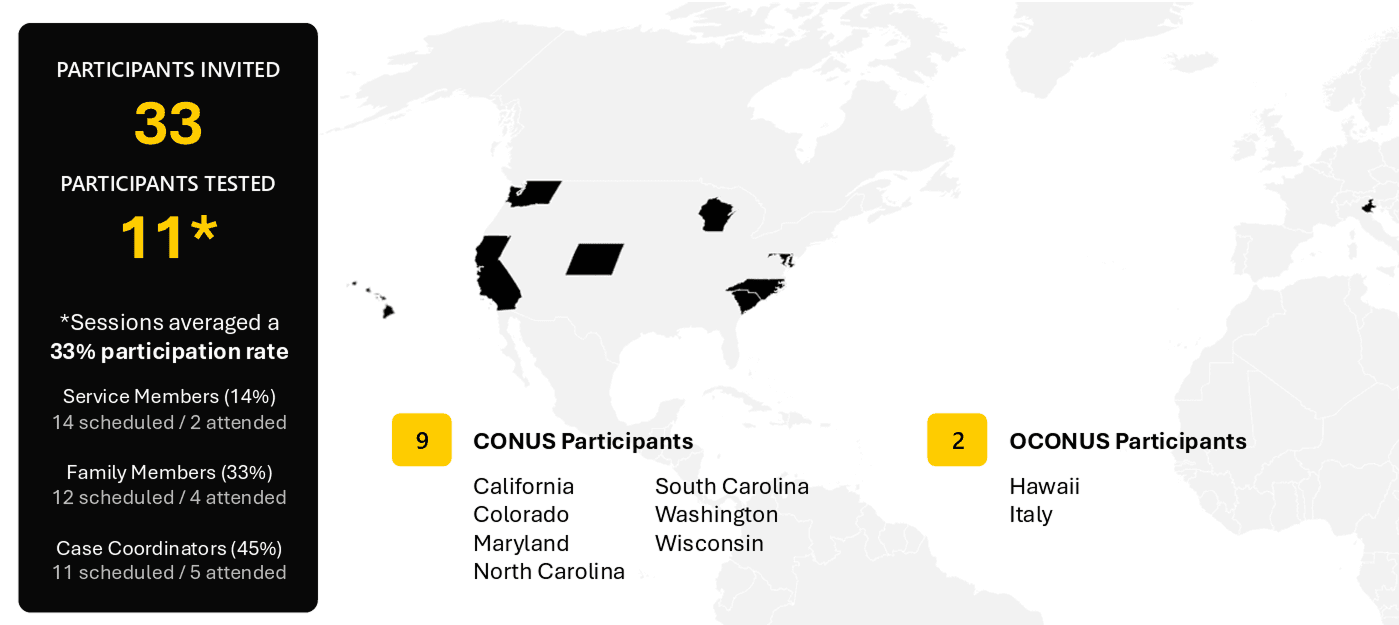
11 participants
out of 33 invited
3 unique STUDIES
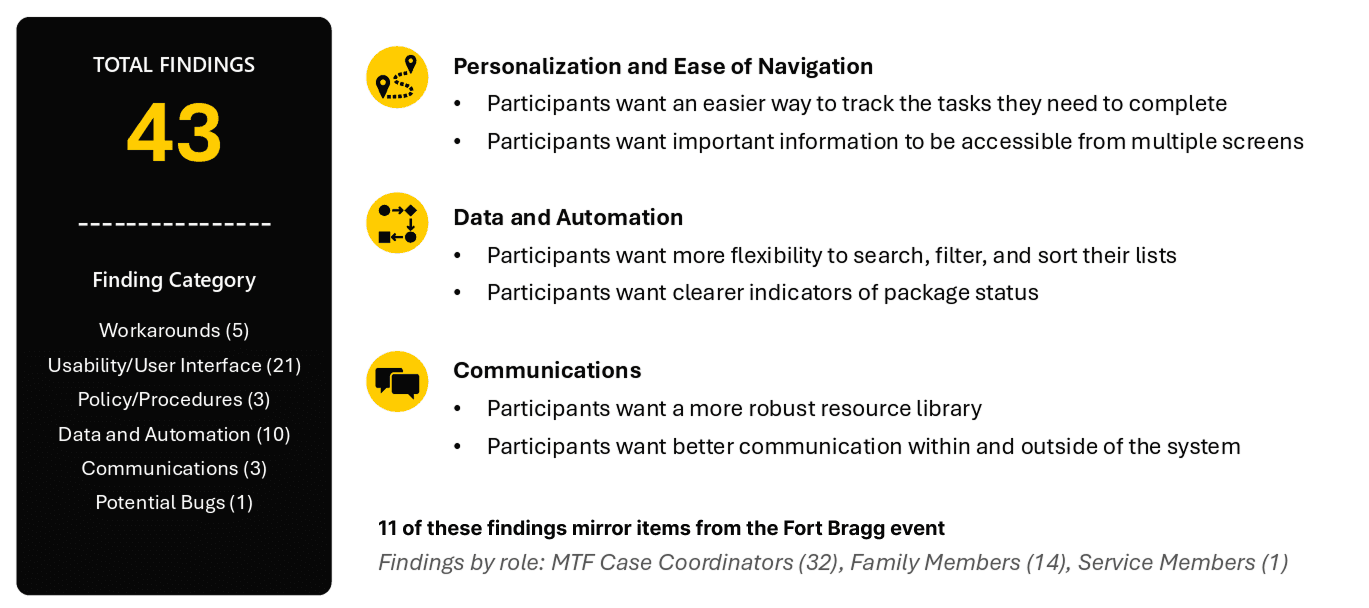
43 insights defined
Because a demo environment was unavailable, I built high-fidelity interactive prototypes in Figma that closely mirrored the live system as experienced on government-issued devices. We structured the research into three distinct studies—Soldiers, Family members, and administrative staff—each with role-specific tasks tied to known pain points.
We partnered with stakeholders to recruit participants across 11 CONUS and OCONUS locations. I managed scheduling and coordination end-to-end, organizing sessions, sending communications, and ensuring participant readiness. Each 30-minute session was facilitated by a designer, with stakeholders invited as silent observers to build visibility into user behavior.
Participants were asked to complete 4–7 tasks using a think-aloud protocol. Task performance was evaluated using a standardized scoring system—completed with ease, completed with difficulty, or failed—with an 80% completion rate set as the success benchmark. I developed a tracking framework in Excel to capture and analyze results alongside qualitative insights from open-ended questions.
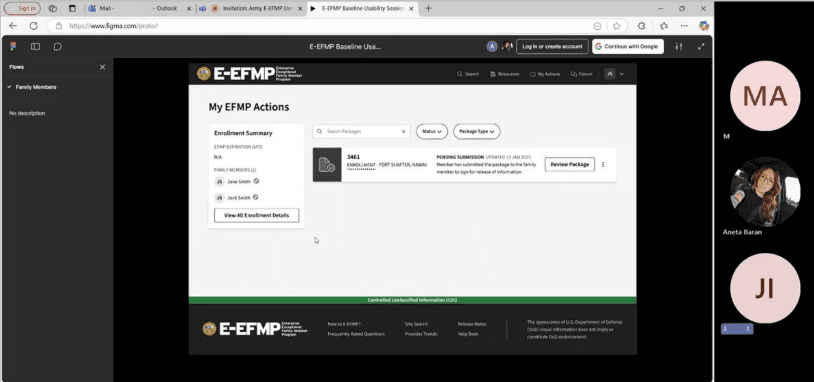
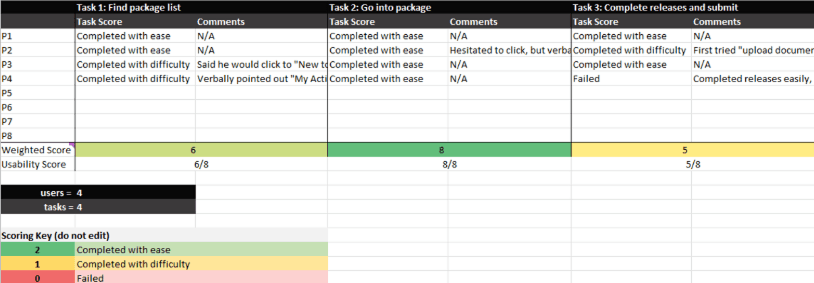
Example prototype used during virtual session (top) and example scoring sheet used to analyze results (bottom)
"This was a great session. Knowing that you care means a lot"
-Feedback Left on a post-session survey at the Fort Bragg Event
185+
Total findings found
39
Total participants engaged
Thematic Categories
Data and automation
Notifications and communication
Onboarding and information sharing
Navigation and personalization
04 - Analyzing Results
Synthesizing and Defining Recommendations
Following both the in-person service blueprinting sessions and virtual usability tests, I consolidated findings into a unified analysis framework to identify patterns across methods. An initial synthesis was conducted after each research activity, allowing us to quickly share early insights with stakeholders and developers and drive immediate alignment. These outputs were then merged into a comprehensive dataset, resulting in 185+ total insights.
I coded each finding into thematic categories, including (1) data and automation, (2) notifications and communication, (3) onboarding and information sharing, and (4) navigation and personalization. By analyzing overlap across methods, we validated high-confidence issues as well as new opportunities unique to each approach.
To ensure findings translated into action, I worked with members of the project team to prioritize insights based on severity and estimated effort. This resulted in a structured set of recommendations aligned to the product roadmap—categorized into (1) pre-refactor, (2) during refactor, (3) post-refactor, and (4) longer-term considerations. Notably, we identified 47 low-effort, high-impact “quick wins” across the methods that could be implemented immediately to improve usability.
This synthesis not only clarified where to focus design efforts, but also introduced a repeatable, data-driven approach to prioritization, and served as the basis for stakeholders' 1-N list of system requirements.
Presenting the Findings
At the conclusion of each study, I created a formal report and presented findings to stakeholders, detailing participation rates and synthesized findings.
05 - Reflection
Reflecting on what I learned
This initiative strengthened my ability to facilitate research in complex, real-world environments—particularly balancing structure with flexibility to keep sessions productive while making participants feel comfortable sharing openly. I refined how I guide conversations, probe for deeper insights, and adapt in the moment, especially when navigating unexpected feedback.
What stood out most was the response from participants. Many expressed appreciation for being included in the process, often for the first time, and shared a strong desire for continued involvement. Hearing directly from users not only validated the value of the work, but reinforced the importance of building ongoing feedback loops—ensuring that the people most impacted by the system have a voice in shaping it.